 |
| Anonymous Access |
How Hacker Hack Social Media?
Nowadays people are not aware of hacking too much and how to protect themselves so that they get hacked Easily. Only a few know about cybersecurity. So, today in this post I will tell you about the common attacks used by the hackers to hack social media accounts and How to protect yourself from them.
1) Man In Middle Attack
In this attack hacker privately steal the conformation between the sender and the receiver without their knowledge. The user thinks that they are communicating privately with each other but hacker secretly relays and possibly alter their communication without their knowledge.
Man-in-the-middle is a form of session hijacking. Other forms of session hijacking similar to man-in-the-middle are:
- Sidejacking - This attack involves sniffing data packets to steal session cookies and hijack a user’s session. These cookies can contain unencrypted login information, even if the site was secure.
- Evil Twin - This is a rogue Wi-Fi network that appears to be a legitimate network. When users unknowingly join the rogue network, the attacker can launch a man-in-the-middle attack, intercepting all data between you and the network.
- Sniffing - This involves a malicious actor using readily available software to intercept data being sent from, or to, your device.
For eg: BurpSuite is the most common tool is used to perform a man in the middle attack. What Burpsuite do, It intercepts between the machine and the server and holds the request with it and check all the details which machine is requesting to the server and in some cases, it can also alter it and request for another thing with the server. Basically, it fools the machine and the server.
 |
Man-in the Middle |
How to protect yourself from this attack?
- Use Antivirus with a good firewall which can detect fake user.
- Use VPN for private network.
- Proxy Server to access the network.
Executing a Man-in-the-Middle Attack in just 15 Minutes
Getting in the middle of a connection – aka MITM – is trivially easy
One of the things the SSL/TLS industry fails worst at is explaining the viability of, and threat posed by Man-in-the-Middle (MITM) attacks. I know this because I have seen it first-hand and possibly even contributed to the problem at points (I do write other things besides just Hashed Out).
Obviously, you know that a Man-in-the-Middle attack occurs when a third-party places itself in the middle of a connection. And so that it can be easily understood, it’s usually presented in the simplest iteration possible—usually in the context of a public WiFi network.
But there’s a lot more to Man-in-the-Middle attacks, including just how easy it actually is to pull one off.
So today we’re going to unmask the Man-in-the-Middle, this article will be a precursor to a future white paper by that same name. We’ll talk about what a MITM is, how they actually occur and then we’ll connect the dots and point out just how important HTTPS is in defending against this.
Let’s hash it out.
Before we get to the Man-in-the-Middle, let’s talk about internet connections
One of the most misunderstood things about the internet in general is the nature of connections. Ross Thomas actually wrote an entire article about connections and routing that I recommend checking out, but for now let me give the abridged version.
When you ask the average internet user to draw you a map of their connection to a website, it’s typically going to be point A to point B—their computer to the website itself. Some people might include a point for their modem/router or their ISP, but beyond that it’s not going to be a very complicated map.
In reality though, it IS a complicated map. Let’s use our website to illustrate this point a little bit better. Every operating system has a built-in function called “traceroute” or some variation thereof.
This tool can be accessed on Windows simply by opening the command prompt and typing:
tracert thesslstore.com
Doing this will show you part of the route your connection traveled on the way to its destination – up to 30 hops or gateways. Each one of those IP addresses is a device that your connection is being routed through.

When you enter a URL into your address bar your browser sends a DNS request. DNS or Domain Name Servers are like the internet’s phone book. They show your browser the IP address associated with the given URL and help find the quickest path there.
As you can see, your connection is not nearly as simple as point A to point B or even point C or D. Your connection passes through dozens of gateways, often taking different routes each time. Here’s an illustration from a Harvard course of the path an email would have to travel from a scientist’s computer in Ghana to a researcher’s in Mongolia.

All told, that’s at least 73 hops. And here’s the thing: not all of those gateways are secure. In fact, most aren’t. Have you ever changed the ID and password on your router? Or any of your IoT devices for that matter? No? You’re not in the minority – less than 5% of people do. And hackers and criminals know this. Not only does this make these devices ripe for Man-in-the-Middle attacks, this is also how botnets get created.
What do you picture when I use the word, “Hacker?”
Before we go any further, a couple of disclaimers. First of all, admittedly this article has a bit of a grey/black hat feel. I’m not going to give blow-by-blow instructions on how to do the things I’m about to describe because that feels a little bit irresponsible. My intention is to give you a reference point for discussing the realities of MITM and why HTTPS is so very critical.
Second, just to underscore how easy this is I’d like to point out that I learned all of this in about 15 minutes using nothing but Google. This is readily-accessible information and well within the abilities of even a novice computer user.
We have this image of hackers thanks to TV and movies:
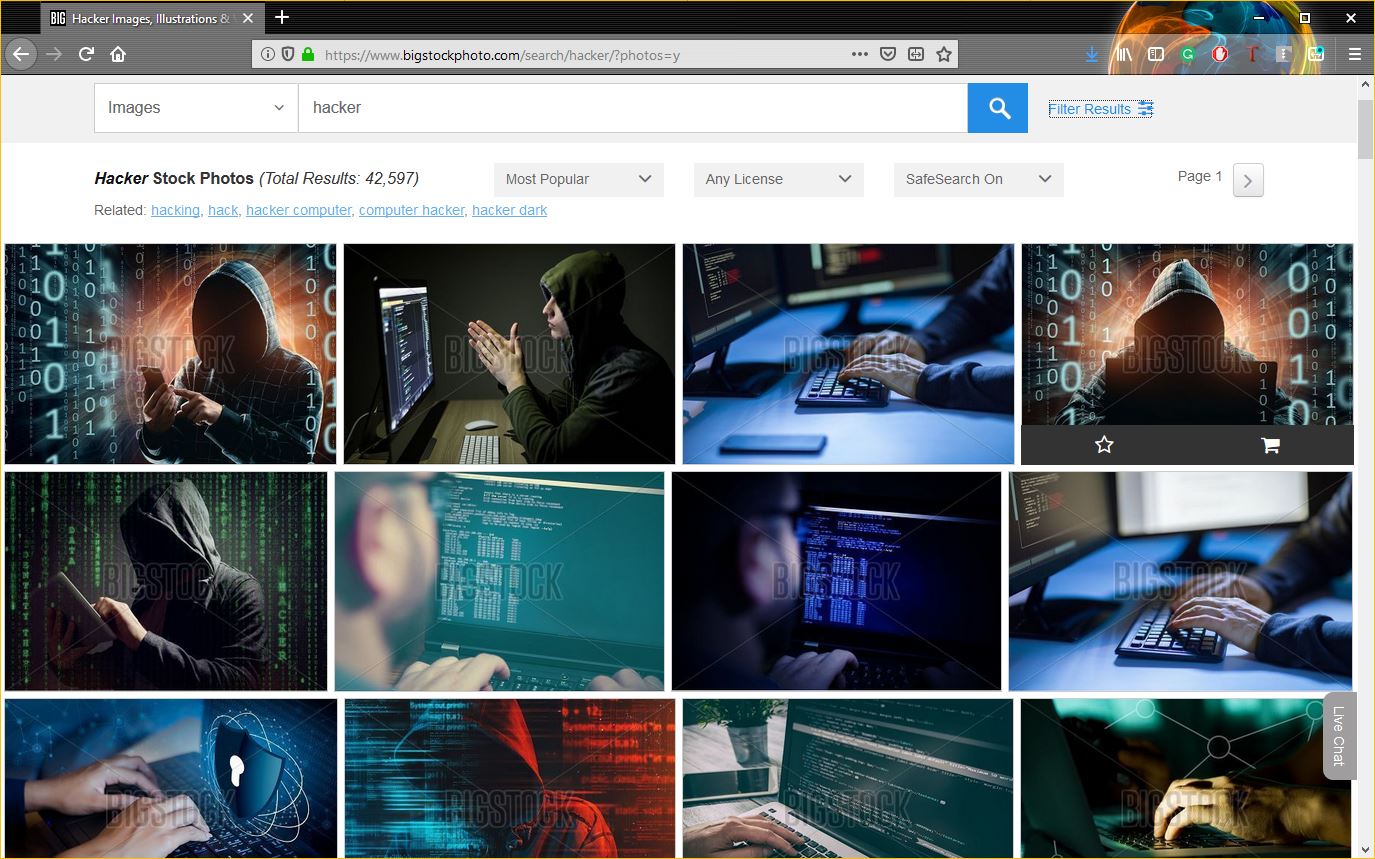
But, contrary to their depiction in popular culture, most hackers aren’t really like that. If they’re wearing a hoodie at all, it’s definitely not obscuring their face as they type command prompts in a poorly-lit room. In fact, many hackers even have lights and windows in their offices and apartments.
The point is this: hacking really isn’t as difficult or sophisticated as it’s made to look—nor is there a dress code. It’s a lot more common than people realize. There’s a very low barrier to entry.
SHODAN, a Google search and a Packet Sniffer
SHODAN stands for Sentient Hyper-Optimised Data Access Network. It is a search engine that can locate pretty much any device that’s connected to the internet. It pulls banners from these devices. A banner, in this context, is basically a snippet of information relating to the device itself. SHODAN port scans the internet and returns information on any device that hasn’t been specifically secured.
We’re talking about stuff like IP addresses, device names, manufacturers, firmware versions, etc.
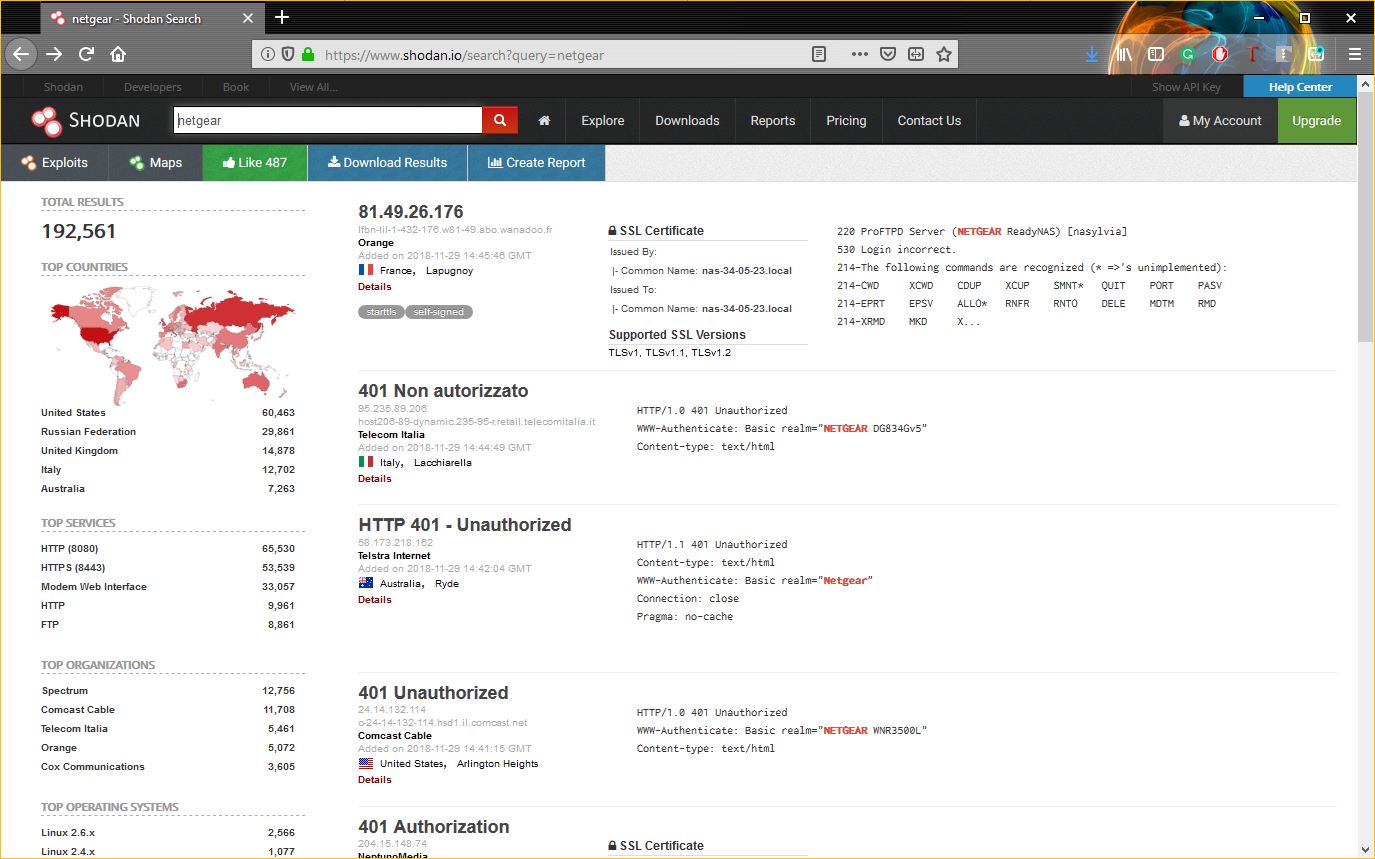
SHODAN is kind of terrifying when you consider all the ways it can be misused. With the right commands you can narrow your search down to specific locations, going as granular as GPS coordinates. You can also search for specific devices if you have their IP addresses. And as we just covered, running a traceroute on a popular website is a great way to get a list of IP addresses from gateway devices.
So, now we have the means to track down specific devices and we can look for high volume MITM targets, many of which are unsecured and still using default settings.
The beauty of the internet is that you can typically find out what those default settings are, specifically the admin ID and password, with only the cunning use of Google. After all, you can figure out the make and model of the device from the banner, so finding the default info will be no problem.
In the example above I made a simple search for NetGear routers. A quick Google search for its default ID/password yields the requisite information in the snippet – I don’t even have to click one of the results.
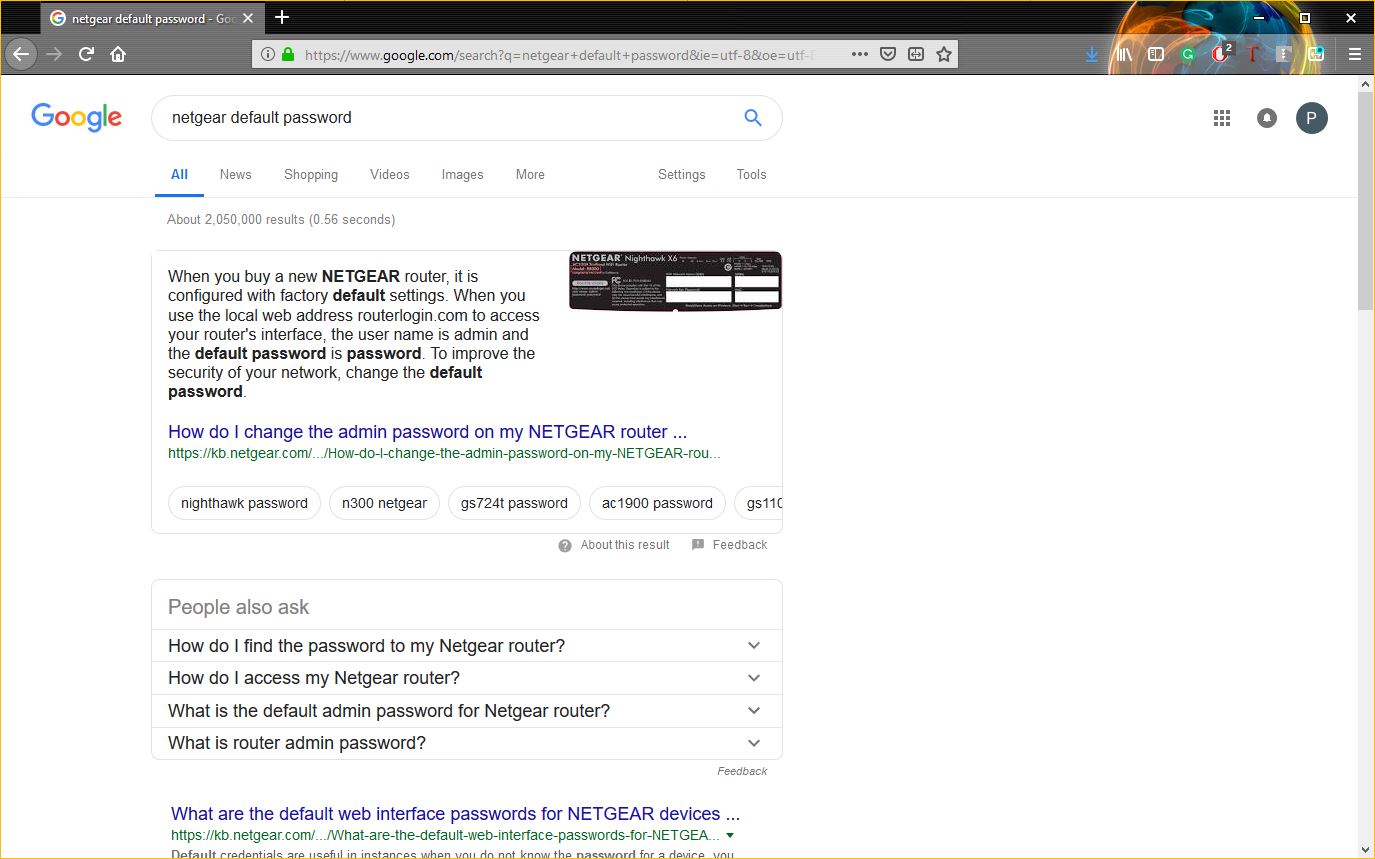
With that information in hand, we can gain unauthorized access to any unsecured version of a NetGear device and perform our Man-in-the-Middle attack.
Now let’s talk about packet sniffers. Data being sent across the internet is not sent in some steady stream. It’s not like a hose where the data just flows onward. The information being exchanged is encoded and broken down into packets of data that are then transmitted. A packet sniffer inspects those packets of data. Or rather, it can if that data is not encrypted.
Packet sniffers are readily available on the internet, a quick search on GitHub yields over 900 results.
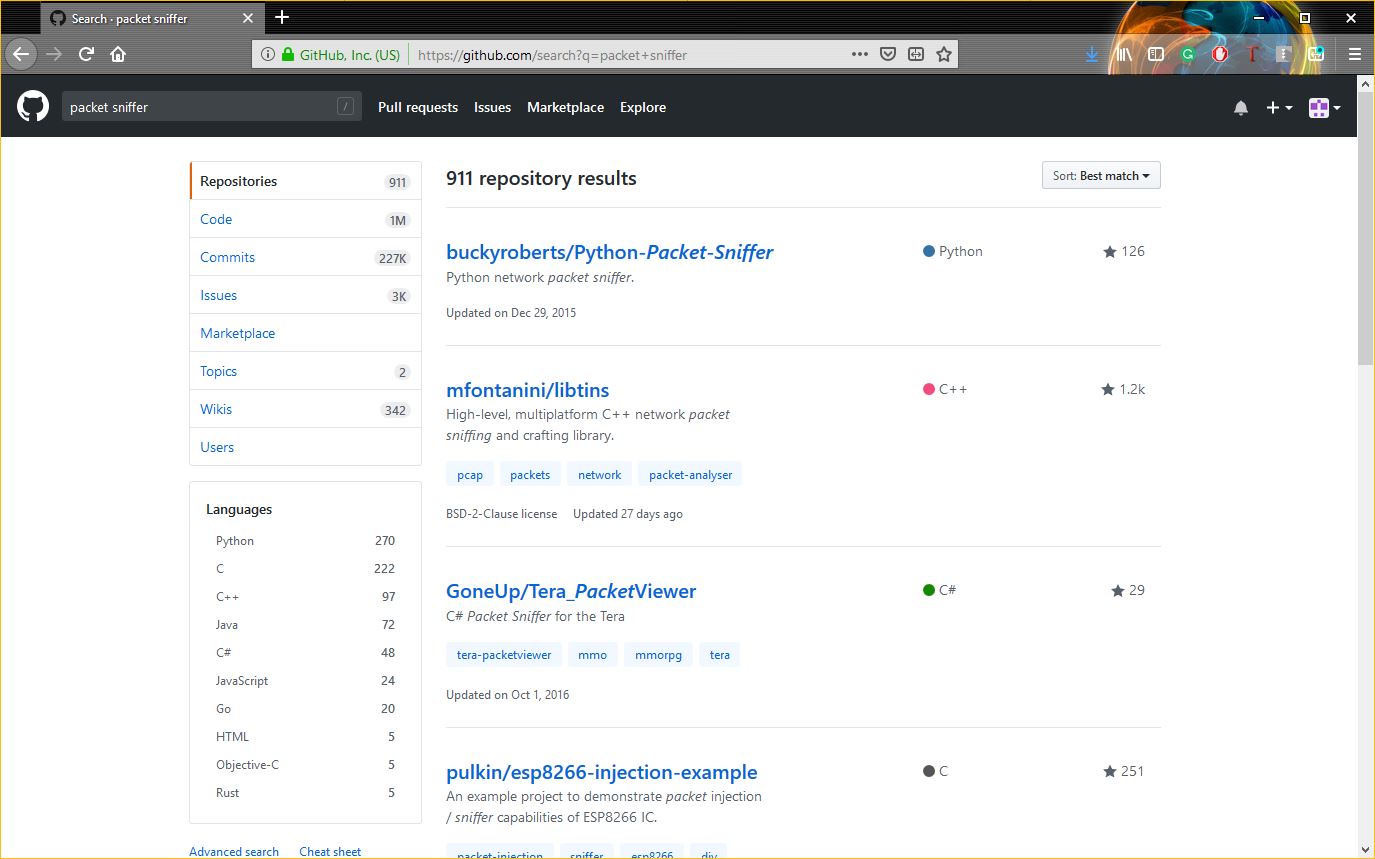
Not every packet sniffer is going to work nicely with every device, but again, with Google at our disposal finding the right fit won’t be difficult.
We actually have a couple options, we can find a packet sniffer that will integrate right into the device we’re hacking with minimal configuration on our part, or if we want to really go for broke we can slap some new firmware on the device and really build out some additional functionality.
Now let’s tie this together. After an attacker has found an unsecured device, pulled its banner and found the default login credentials needed to access it, all they have to do is install a packet sniffer (or really any kind of malware they wanted) and they can begin to eavesdrop on any information that passes through that gateway. Or worse.
Hypothetically, using this information and these techniques, you could create your own botnet out of unsecured devices on your office network and then use them to overload your IT admin’s inbox with calendar invites to secure them all.
2) Phishing
Phishing is the most common and most effective hacking used by hackers for many years. In phishing hacker makes the replica of some social media login page and then share them with the victim and when victim login in that page then It’s username and password redirects to the hacker’s machine.
There are many chances to get hacked by this terminology if a user doesn’t have basic knowledge of the internet. Mostly hackers make a replica of the social media login page. This attack needs patience and good skills for making the victim login from your duplicate page.
 |
Phishing |
How to protect yourself from this attack?
- Always check the URL before login.
- Login by writing your social media name on google.
- You must use a good browser which has the capability to identify fake pages.
- Do not login through emails and the messages.
3) Keylogging
Keylogging is the easiest way to hack social media. A key logger is a software made by the hackers to trace or record the keys of the keyboard pressed by the user and then it automatically makes the file of it and sends it to hackers machine through internet. It is the most efficient way from this technique hacker can hack even computer experts because this can be download from anywhere.
 |
Keylogging |
How to protect yourself from this attack?
- Use good antivirus .
- Download software from trusted sites only.
- Scan Every external drive before using.
4) Browser Password
Usually, we save our account password and credit card details in the browser. Anyone can check those details from our browser password manager and steal those. A hacker can get physical access of your laptop through social engineering and can extract all passwords from a USB device called Rubber Ducky. Hacker can also put an extension in your laptop through the internet and can extract all your passwords and device data this also happened with one of the friends and then he got blackmailed.
 |
Browser Passwords |
How to protect yourself from this attack?
- Do not share your personal information with your friends.
- Do not share your laptop with anyone.
- Don’t save your password in your laptop.
5) Social Engineering
Social Engineering is the basic technique to collect information from the victim as much as you can. For eg, a friend asks the password from his friends and got that than it is also called social engineering. Hacker asks information like name, date of birth, first school, pet name, phone number, etc.. and by using this information he/she will crack into your social account.
Social Engineering |
How to protect yourself from this attack?
- Never share your personal information with anyone.
- Do not trust any person or link easily.
6) DNS Spoofing
This can be possible if user and hacker are on the same network. In this hacker can replace the page of the victim’s machine with a fake page and can easily gain credentials of the user social account with that.
DNS Spoofing |
How to protect yourself from this attack?
- Manage your DNS server.
- Manage your firewall securely.
7) Session Hijacking
This attack uses your saved cookies from your browser. When user login from the laptop then server and your machine maintain a session between them and those session details saved into your browser cookies. Hackers hack those cookies to get the credentials and your extensions also have access to those cookies, So choose your extension carefully.
Session Hijacking |
How to protect yourself from this attack?
- Do not use any public wifi.
- Clean your cookies in every 4-5 days.

